How to use Claude for sales outreach, with an MCP connector
What a connector adds to Claude, a weekly routine in five prompts, what Claude should never do in your outbound, and the four steps to set it up.
On this page 5 sections
Claude is good at the thinking parts of outbound: deciding who is worth a message, drafting one that starts from the right place, reading a week's numbers and saying what changed. Out of the box it can't see any of that. It doesn't know who reacted to what this week, what's new at an account or how last week went, unless you paste it in.
An MCP connector closes that gap. The Model Context Protocol is an open standard that lets an assistant call tools, and with FOUND connected, Claude reads your own pipeline and prepares work that waits for you in FOUND. Your agent still does the sending, at its own pace, behind its own limits, once you switch a campaign on.
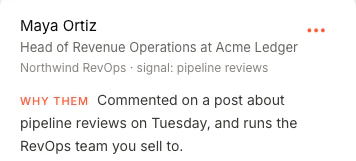
Who are my warmest leads this week, and why is each one there?
What a connector adds
Without one, Claude works on whatever you paste. With FOUND connected, it can call 18 tools to answer a question from your account. Here are the ones a week of outbound leans on. Each says what it does to your data, and none of them sends anything.
| Tool | What you get | What it does to your data |
|---|---|---|
find_leads | This week's leads: who, how well they fit, the signal and the reason | Reads only |
research_account | Everything FOUND holds on a company: its news, the people you have there, their signals, your conversations | Reads only |
draft_message | The message FOUND would send a lead, from why they were found and your offer | Draft only, not queued |
find_new_leads | New companies from a sentence, with a contact at each, in a new list | Spends credits, after showing the price |
create_campaign | A paused campaign with a buyer and a message sequence | Created paused; only you switch it on |
pipeline_stats | Contacted, invited, accepted, replied and the rates, per channel, signal and campaign | Reads only |
A week of outbound in five prompts
- Monday, who's warm. Who are my warmest leads this week, and why is each one there?
- Look into the one you're unsure about. What do we know about Brightline Labs, and who do we have there? Only what FOUND already holds.
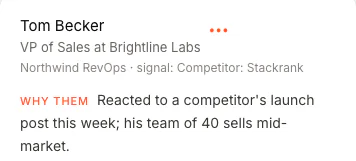
- Draft the opener. Draft an opener for Tom Becker that starts from why he was found. You get the message FOUND would send, from your own offer. Nothing is queued.
- Line up new ones. Find 20 fintech companies hiring their first account executive, and put them in a paused campaign. Claude shows the price in credits and asks you first; the campaign waits, paused, until you switch it on in FOUND.
- Friday, what worked. How did outbound do in the last 7 days? Which signals brought the people who replied? The same numbers as your Dashboard.
Plain questions work best. Claude picks the tool; you don't need to name it. What makes a lead warm in the first place is in the seven LinkedIn buying signals FOUND watches.
What Claude never does in your outbound
The connector can read your account, draft, build lists, and create or change a paused campaign. It will never send anything itself, switch a campaign on, change the messages or sources of a running campaign, approve a message, change a limit, the pacing or review mode, connect or disconnect an account, delete anything, or spend a credit without showing the price first.
Whatever it adds waits for you, and goes through the same planner, pacing, limits, block list and opt-outs as everything your agent does. So even a profile written to trick an assistant can't make anything send.
Set it up in four steps
- Start your agent in FOUND. Sign in with Google and paste your website. You see real leads for your own buyer before you pay.
- Add it to Claude. In Claude, open Customize, then Connectors, and click Add custom connector. Name it FOUND, with the address
https://app.foundtofind.com/mcp. - Sign in and click Allow. Click Add, then Connect. FOUND's page opens: sign in with Google if asked, then click Allow. There's no key to paste.
- Ask your first question in a chat, with FOUND switched on under + and Connectors: Who are my five warmest leads this week, and why is each one there?
The full setup, word for word as FOUND's Connect screen gives it, is on our Claude page. Using Cursor or another MCP client? The same connector works there.
Questions
Which Claude plans can use it?
Any plan, on claude.ai, the desktop app or your phone. The Free plan allows one custom connector. On Team and Enterprise, an Owner adds FOUND for the organisation first, and then each member connects it and signs in to their own FOUND.
Does Claude see my LinkedIn password?
No. You connect LinkedIn on FOUND's own page, and your password passes through our server once, straight to our connection provider. It is never stored or logged, and the connector holds no password at all.
What does it cost?
Nothing on top of FOUND's $69 a month. Finding new companies and contacts, or a lead's work email, spends credits, and Claude shows you the price before it runs.
Does the same connector work in ChatGPT?
Yes. The same address works in ChatGPT's developer mode, with the same tools and the same limits, and so does any other MCP client, such as Cursor or Claude Code.